Residents and rooms
Onboard residents into a specific bed, track KYC status, record move-outs, and see rooms and beds by floor with metric room areas.
For PGs, hostels and co-living in India
MOVO keeps rent, residents, rooms, meals and maintenance issues in one place, for you, your wardens and the people who live with you.
The demo runs on sample data, needs no sign-up, and nothing you do in it is saved.
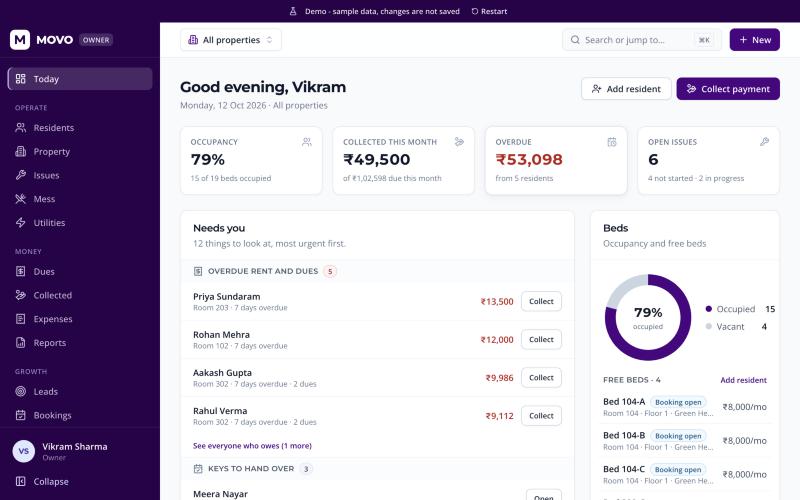
MOVO has a separate, focused experience for each person, chosen by the role on their account.
See occupancy, what has been collected and what is overdue across every property, then act on it from the same screen.
Day-to-day work with the permissions you give them: collect rent, hand over keys, log meter readings and close issues.
See what is due, how to pay it, today’s menu, notices from the property and the status of reported problems.
What is in the product today, nothing more.
Money
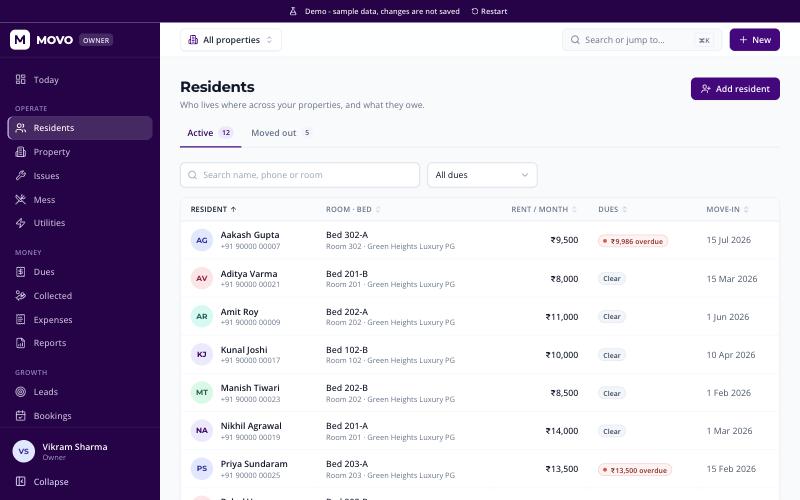
Onboard residents into a specific bed, track KYC status, record move-outs, and see rooms and beds by floor with metric room areas.
Residents’ complaints in one queue with a status for each step, so nothing is lost in a chat thread.
A weekly menu per property with meal timings, and residents who tell the kitchen which meals they will eat.
Sub-meter readings per room, recorded as they are taken.
Track enquiries from first call to booking, take token money, and record key handover when someone moves in.
Announcements for a property, WhatsApp campaign messages, and rental agreements generated from your templates.
Add wardens and staff, choose which properties they can see and which actions they may take.
Amounts in rupees with Indian digit grouping, areas in square metres, and sign-in with a mobile number and one-time code.
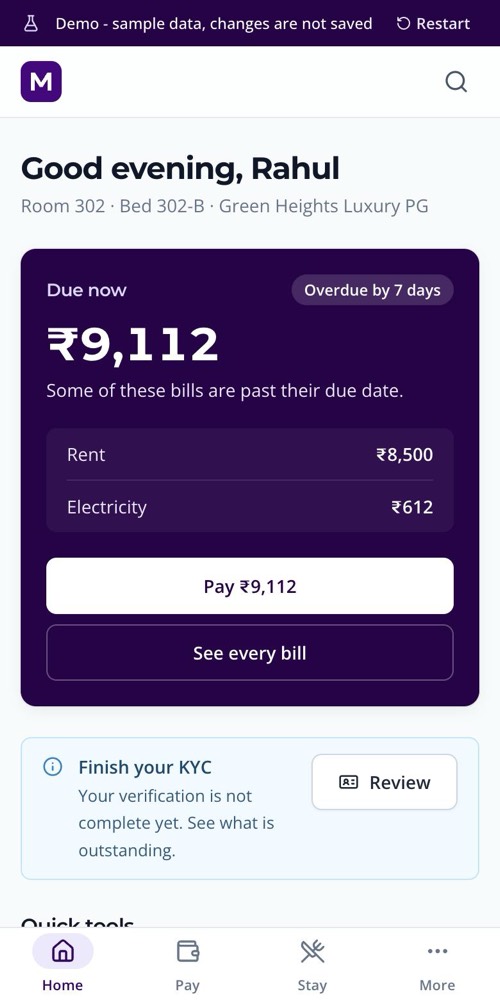
For residents
Paying by UPI happens in the resident’s own UPI app. The property team then records the payment in MOVO, and the bill moves to paid.
There are also companion mobile apps for owners and for residents.
The demo opens straight into a working property. Pick a role and click around.
No account and no sign-up. It runs entirely in your browser.
Owner, warden, resident or the MOVO team console, each with one click.
Collect a payment, add a resident or close an issue. Changes show up straight away and disappear when you reload.
Operators of PGs, hostels and co-living properties in India, the wardens and staff who run them day to day, and the residents who live there.
No. It uses made-up residents and amounts, and it never contacts a server. Anything you change in it lives only in your browser tab and is gone when you reload.
No. Residents can use MOVO in a web browser on their phone. There are also companion mobile apps for owners and for residents.
Residents get a UPI payment link and a reference for the bills they pick. MOVO does not confirm UPI payments automatically yet: once the property team records the payment, the bill is marked paid and a receipt appears.
With the mobile number registered on their account and a one-time code. What each person sees depends on their role.
Open the app and sign in with the mobile number registered on your account. If you do not have an account yet, the demo is the quickest way to see whether MOVO fits.